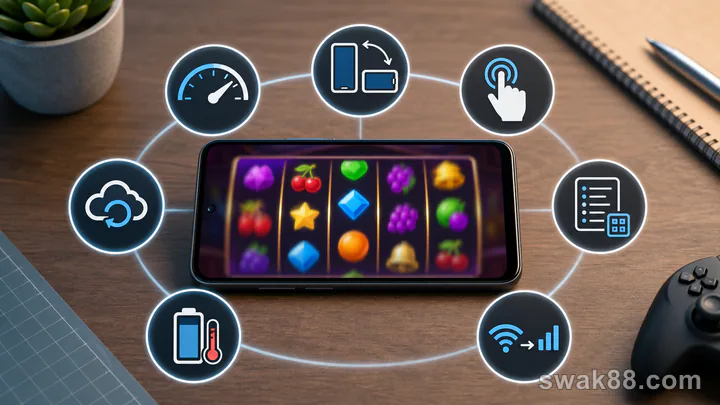
The quick answer
Before playing slot games online on a budget Android phone in the Philippines, test cold load, portrait and landscape controls, paytable readability, touch accuracy, background restore, Wi-Fi-to-prepaid-data recovery, and heat or battery behavior. Run all seven checks in demo mode at one virtual stake. Reject any game that hides the total bet, duplicates taps, loses a settled result, or repeatedly reloads.
Test setup
Use the entry-level Android phone and prepaid SIM you normally carry in the Philippines, not a freshly reset laboratory device. Record Android version, free storage, available memory if visible, battery level, and whether the connection is home Wi-Fi or prepaid mobile data. Close video streaming and large downloads, but keep the messaging apps you normally use.
Choose one simple fixed-payline slot and one feature-heavy slot. The contrast shows whether the device problem belongs to the phone, the provider shell, or a specific game.
1. Cold-load test
Close the browser or app fully. Open the lobby, search for the game, and time until the reels and stake controls respond. A splash screen is not completion.
Pass: the game reaches a stable state without a second reload. Fail: blank reels, repeated progress reset, or a play button that responds before total stake appears.
Repeat once on prepaid mobile data during a short five-minute demo window. A slower steady load can pass; a loop at the same percentage cannot. This exposes games that only feel usable on home Wi-Fi.
2. Orientation test
Before a spin, rotate portrait to landscape and back. Check the spin button, stake value, rules, sound, and exit. Android navigation should not overlap the main action.
After a completed demo spin, rotate again and confirm the balance and result remain. Some games are designed for one orientation; that is acceptable if they lock cleanly rather than stretching controls.
3. Paytable test
Open the rules and locate pay system, wild, scatter, bonus trigger, RTP if stated, volatility if stated, and minimum total bet. Scroll through the full panel.
Pass: text remains readable without repeated pinch zoom, and returning to reels preserves the stake. Fail: the panel closes on scroll, values are clipped, or coin value and total bet cannot be distinguished.
4. Touch-accuracy test
Tap stake minus once, plus once, rules once, sound once, and spin once. Each touch should create one response. Do not use rapid taps.
Entry-level phones can queue touches while animation stalls. If one tap creates two stake changes or a spin starts while closing the rules, restart and test again. A second failure disqualifies real play.
5. Background-restore test
Complete a demo spin, note the virtual balance, then background the session for two minutes. Open a messaging app and return.
Pass: the game restores the settled result or returns to the lobby with the same balance. Fail: the app shows an old active reel, resets the wallet, or asks you to spin again before history loads.
6. Network-recovery test
Perform this only between spins. Switch from Wi-Fi to your prepaid mobile connection, wait for the Android indicator, and reopen the game. Compare balance and last result. This mirrors a common Philippine handoff when leaving home Wi-Fi without turning a connection test into a long data session.
Then complete one demo spin and return to Wi-Fi. Never use a network test during an active paid round. If the provider frame loops or the history is inconsistent, the game is unsuitable for that connection.
7. Heat and battery test
Run 20 demo spins manually over ten minutes with normal brightness. Note battery change, back temperature, frame drops, and touch delay. Repeat with sound off if heat rises quickly.
A feature-heavy expanding-grid slot may use more graphics than a classic three-reel game. Choose the simpler title if it stays responsive. Visual complexity is not a gameplay advantage.
Scorecard
Give each test 0 for fail, 1 for usable with friction, and 2 for clean. Fourteen is the maximum. Require at least 11 and no zero for stake visibility, touch accuracy, or restore.
| Test | Simple slot | Feature-heavy slot |
|---|---|---|
| Cold load | ||
| Orientation | ||
| Paytable | ||
| Touch | ||
| Restore | ||
| Network | ||
| Heat/battery |
Reduce load without hiding information
Turn off sound, lower live animation quality if offered, keep at least 1–2GB of free storage, and avoid split-screen. Do not use an aggressive battery saver that kills the game every time it backgrounds.
Browser play may outperform an installed wrapper on one phone and lose on another. Compare actual restore and heat behavior rather than assuming an app is faster.
Session limits after a pass
Even after the technical test, define base stake, spin cap, loss stop, and time stop. Manual spins are easier to audit than turbo or autoplay on a slower device. Wait for balance animation to settle before the next spin.
If prepaid mobile data is unstable, choose short RNG demo sessions rather than live dealer video. Save longer tests for stable Wi-Fi, and never keep tapping through a reconnect banner.
Final verdict
An entry-level Android phone in the Philippines does not need perfect graphics; it needs visible stake, single-response controls, stable settlement, and reliable recovery across home Wi-Fi and prepaid data. Run seven short demo tests and choose the game that remains auditable, even if its visuals are simpler.
Related Reading
For a closely related guide on this site, read Online Slot Games on Mobile: 8 Checks for Smooth Play on Philippine Networks.